Photo & video organizer
Look what you kept.
Open a handful of photos and videos from your library. Swipe through them, rediscover a favorite, and give it a place on your Home Screen.
Explore the features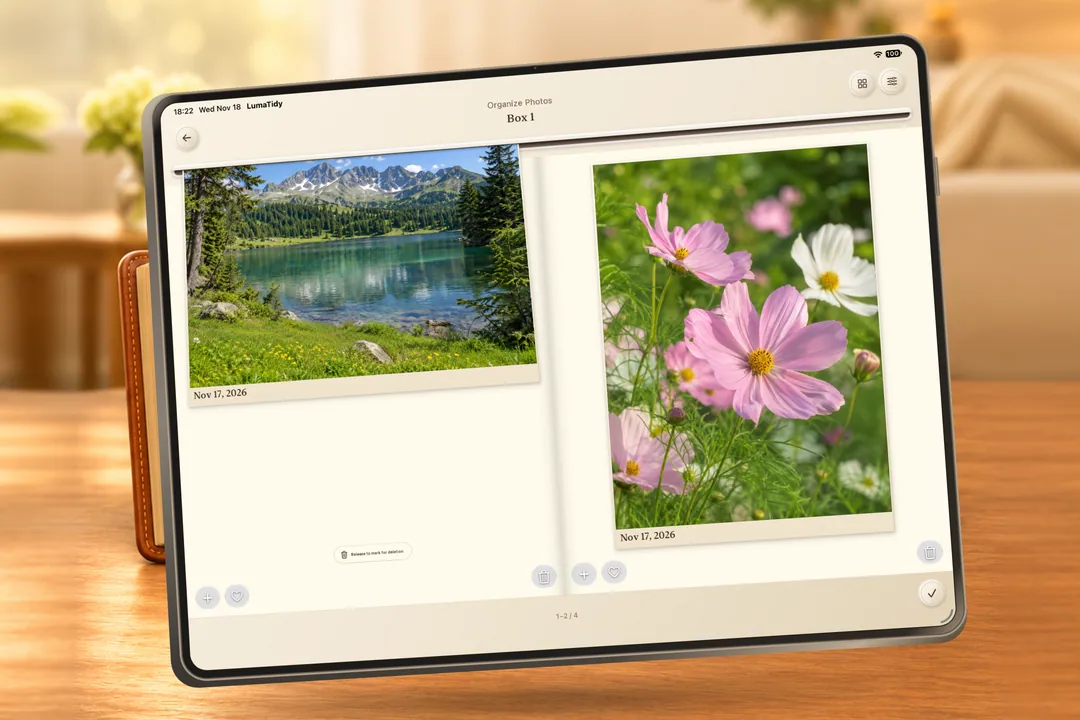
Sort with a swipe
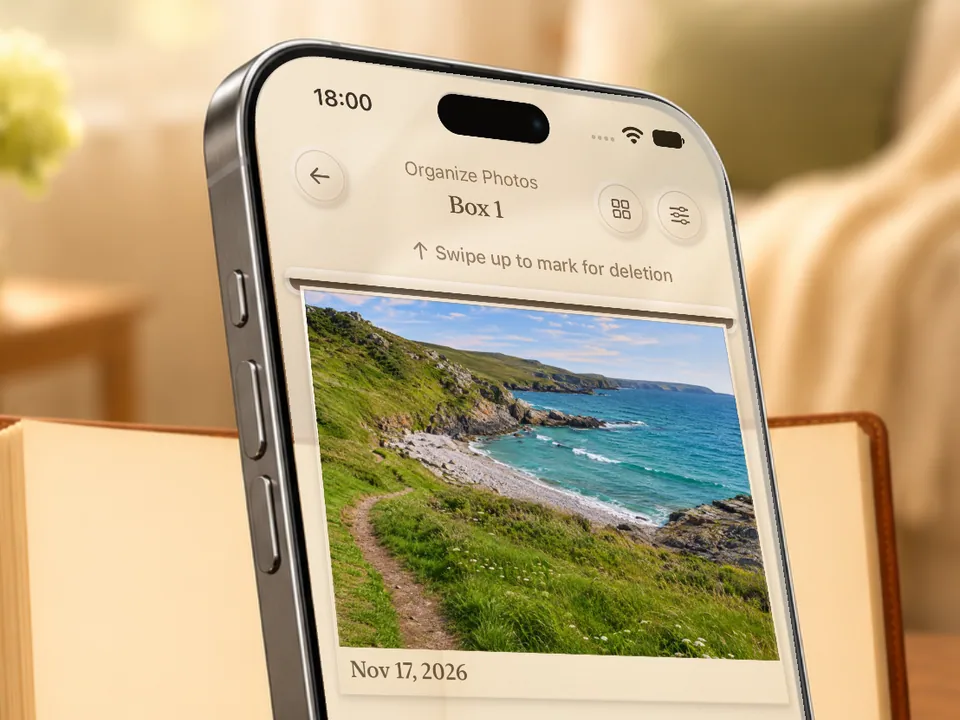
Open a random selection for a surprise, or follow the timeline from either end.
 · Enlarge image
- Four directions
- Swipe left or right to browse, up to mark an item for deletion, and down to favorite it.
- One last look
- Review the items you marked, take any back, then confirm what to delete from Photos.
- A longer session
- Sort 20 new items a day for free. A one-time Pro purchase unlocks unlimited sorting and tool use, batch selection, and continuous sessions.
Find a place to start
Tackle last summer’s trip, your screenshots, or the files taking up the most room.
 · Enlarge image
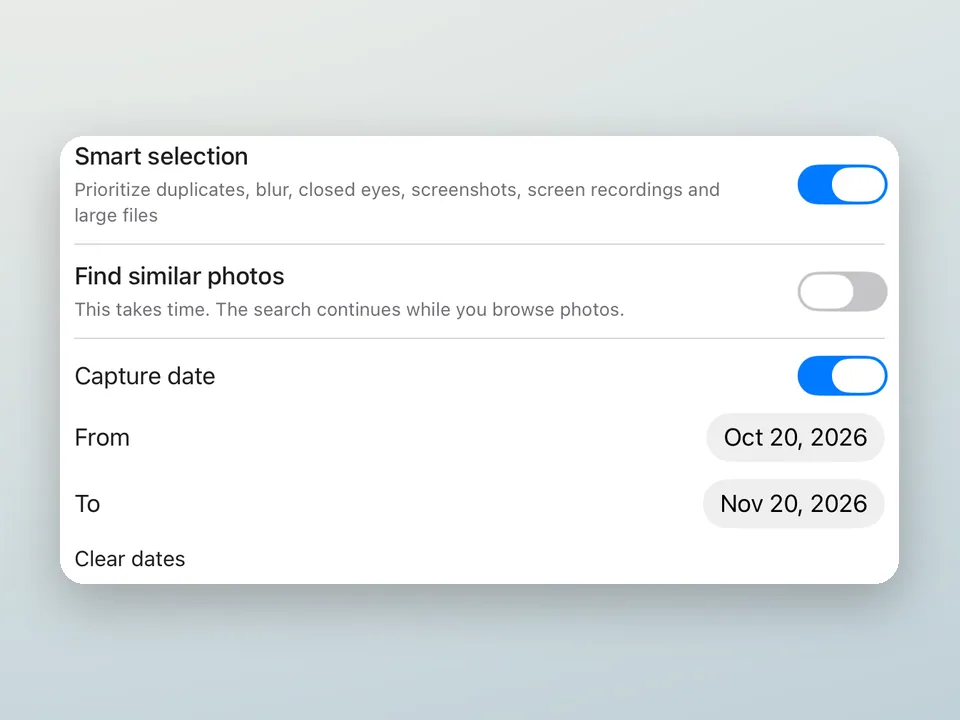
- Smart Filter
- In a random session, prioritize large files, screenshots, and screen recordings. Also look for blur, closed eyes, possible duplicates, and likely downloads.
- Narrow the selection
- Combine media type, album, capture dates, and photo categories such as pets, food, or documents. Pro adds capture city and device model.
Choose a theme for today
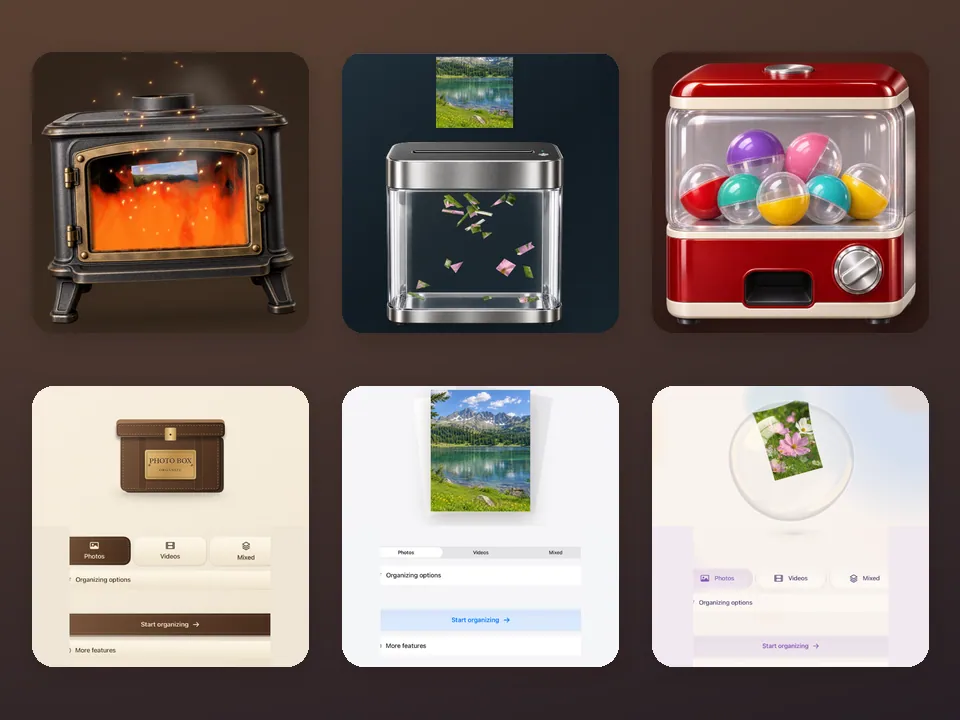
Pro includes all six themes, each with its own way of revealing the next memory.
 · Enlarge image
- Something quieter
- Open the classic leather suitcase, switch to a clean minimal layout, or let a photo float inside a memory bubble.
- A little spectacle
- Turn the capsule machine for a surprise. The shredder and furnace each have their own animation when you finish a cleanup.
Make the edit you need
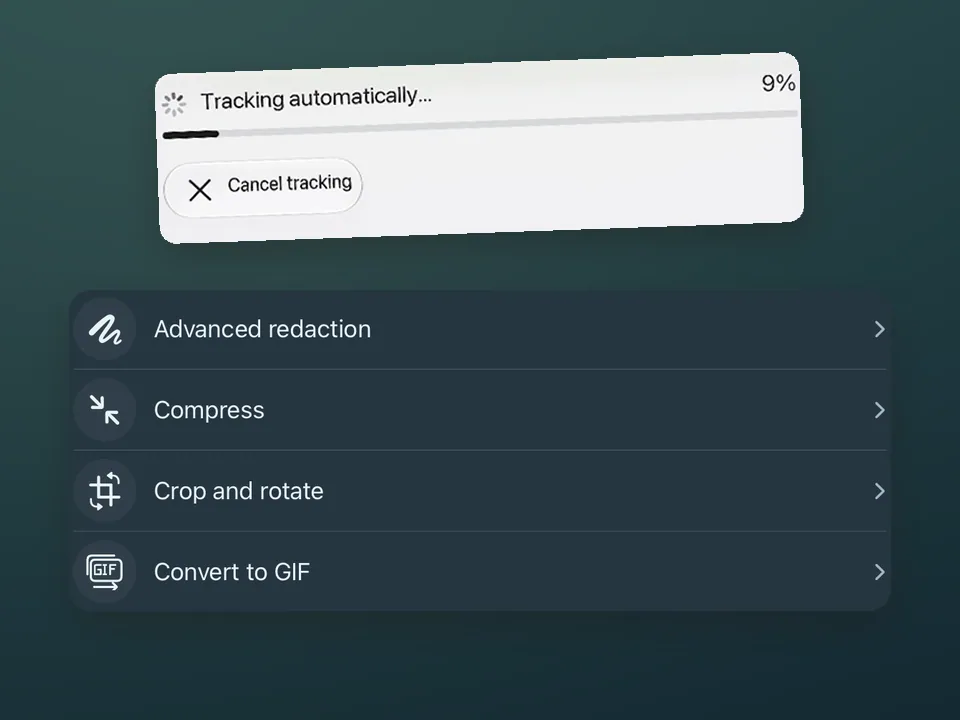
From a crooked horizon to a number caught on camera, take care of the details before you share.
 · Enlarge image
- Size and framing
- Compress photos and videos, choose the resolution and output format, or crop and rotate the frame.
- GIFs and Live Photos
- Turn a video clip into a GIF or Live Photo. Export a Live Photo as a video or choose a new key photo.
- Brush or track
- Brush over part of a photo or video. In a video, select a moving subject to make the mask follow it, then preview your edit.
Pick your favorite take
Ten photos of the same moment can differ by a glance or a hand just entering the frame.
 · Enlarge image
- Open a group
- LumaTidy brings similar shots together and labels exact matches separately.
- Look closer
- Open a photo full screen and swipe between shots in the group. Favorite the take you love and mark any others for review.
Put photos where you’ll find them
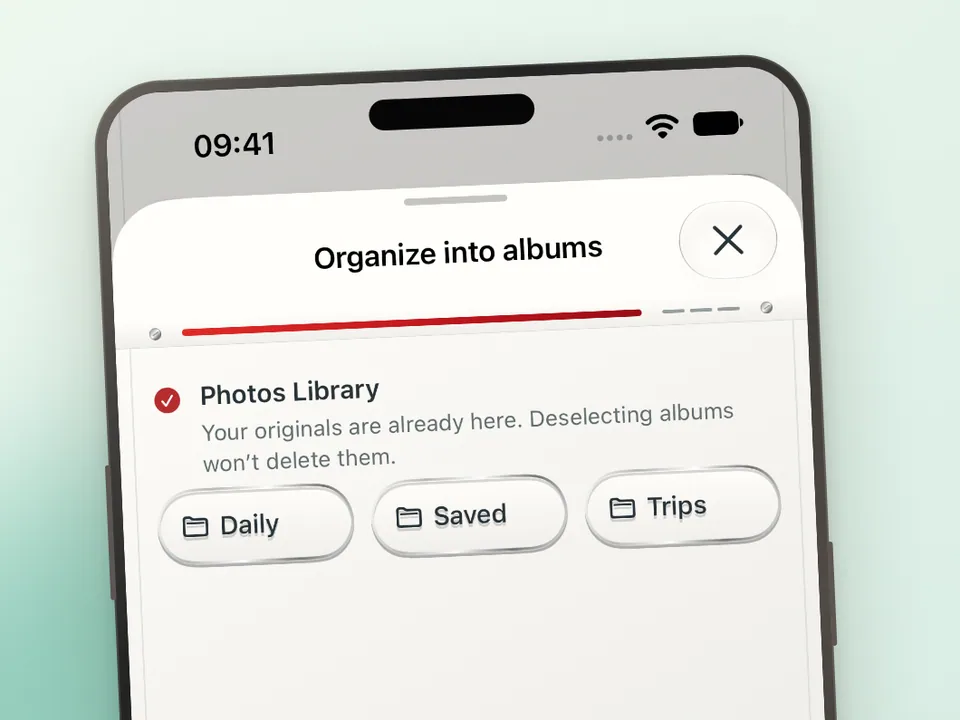
Build an album as you go, while you still remember the name of the trail or the occasion.
 · Enlarge image
- File it as you go
- Add a photo or video to an existing album, or create a new album right from the organizer.
- Two pages at a time
- In landscape on iPad or an unfolded Duo, turn the pages like a photo book. You can favorite or mark either page independently.
Give your Home Screen a photo
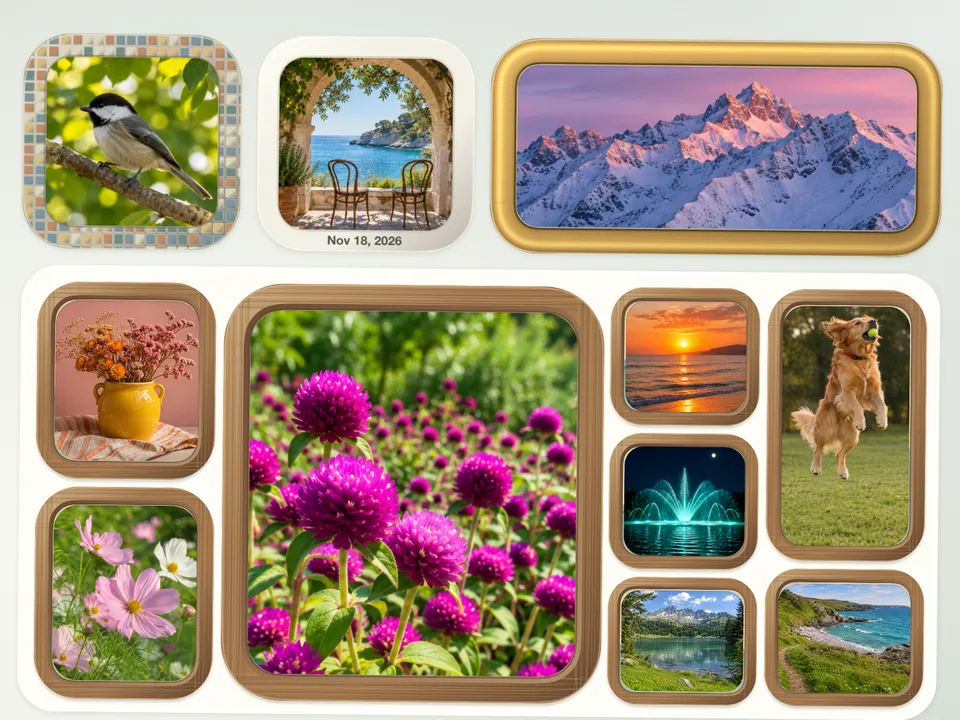
Keep a family face beside your apps or make room for a whole wall of holiday snaps.
 · Enlarge image
- One frame or a wall
- Start with the free wooden frame. Pro adds a photo wall with a different frame around each photo in the mixed style.
- A collection for each widget
- Pick photos yourself, choose an album, or draw from your library. Set up each widget with its own content profile.
Collect a little history
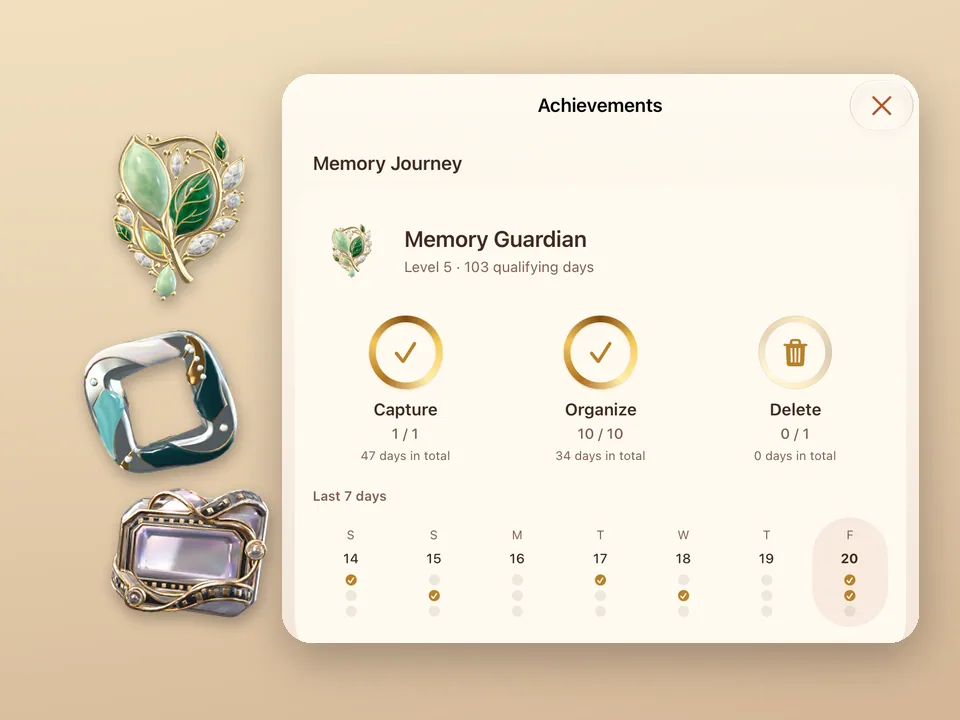
Your organizing habits leave a record of the photos you sorted, the favorites you found, and the edits you made.
 · Enlarge image
- Turn a badge in your hand
- Open an achievement and drag to rotate its 3D badge for a closer look at the details.
- Earn a frame
- Reach the top tier in an achievement series to earn its frame. Pro also gives you access to all achievement frame styles.
Spot private details
Pro checks photos and videos right on your device. You choose what LumaTidy can access and review any private details it flags.
 · Enlarge image
- Know what to look for
- Look for signs of ID documents, payment cards, phone numbers, addresses, verification codes, and QR codes.
- Choose what happens next
- Keep the item, mask the detail, or mark it for deletion. Analysis and redaction tracking run on your device. LumaTidy has no ads or ad tracking.
Turn your screen into a Memory Frame
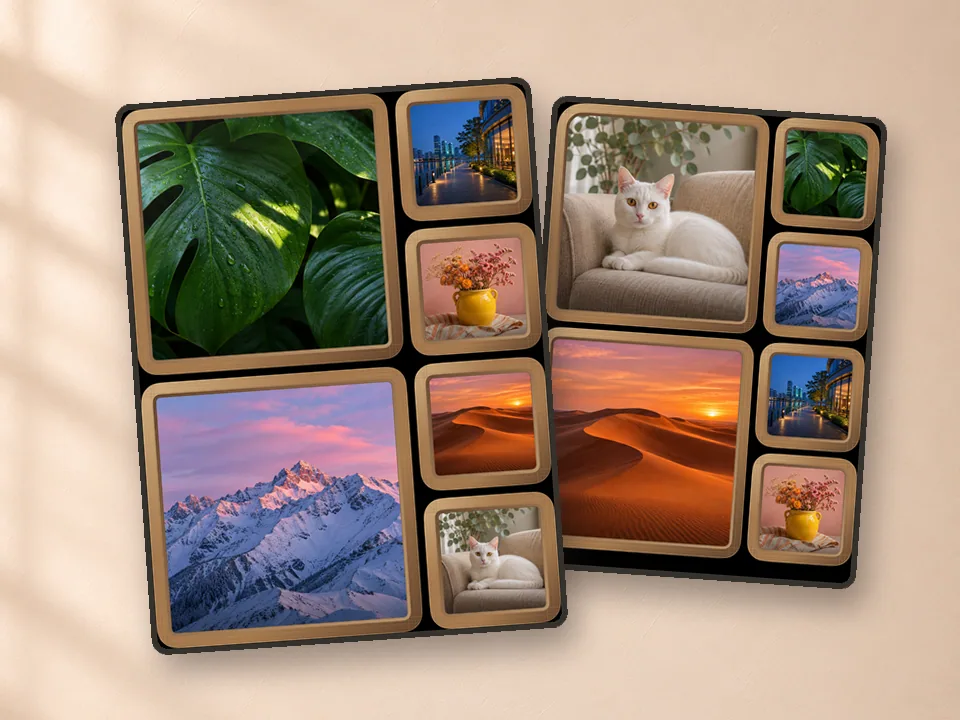
Prop up your device and give the photos, videos, and Live Photos you love more than a moment on screen.
 · Enlarge image
- One memory or a wall
- Let a single frame cycle through your collection, or arrange several items together on a Pro photo wall. Videos and Live Photos take turns playing.
- Waterfall mode
- Set still photos and the covers of Live Photos in motion across the wall. Choose one of four directions and set the speed, drag to browse, or steer by tilting your device.
- A clock for your desk
- Show the time, the date, or both. Pick the clock’s position and typeface to suit the frame.